Desktop Experience
View all cities on a full-width timeline with interactive live hover previews to compare hours instantly.

Compare global time zones easily. Hover to compare times and click to lock in your selection. marks your reference city for hour differences.
Tap the timeline to pick a time, drag the handles to adjust it
Search and add multiple cities, countries, or time zones to compare them side by side in real time.
Drag across the visual timeline to select a time slot — every city's local time updates instantly.
Send your scheduled plan via WhatsApp, export directly to Google Calendar or Outlook, or download an .ics calendar file.
Effortlessly manage remote teams, international clients, and cross-border calls with our free time zone converter.

Compare as many global time zones as you need in a single, intuitive side-by-side view.

Color-coded indicators highlight business hours, morning, evening, and night slots so you can spot the overlap at a glance.
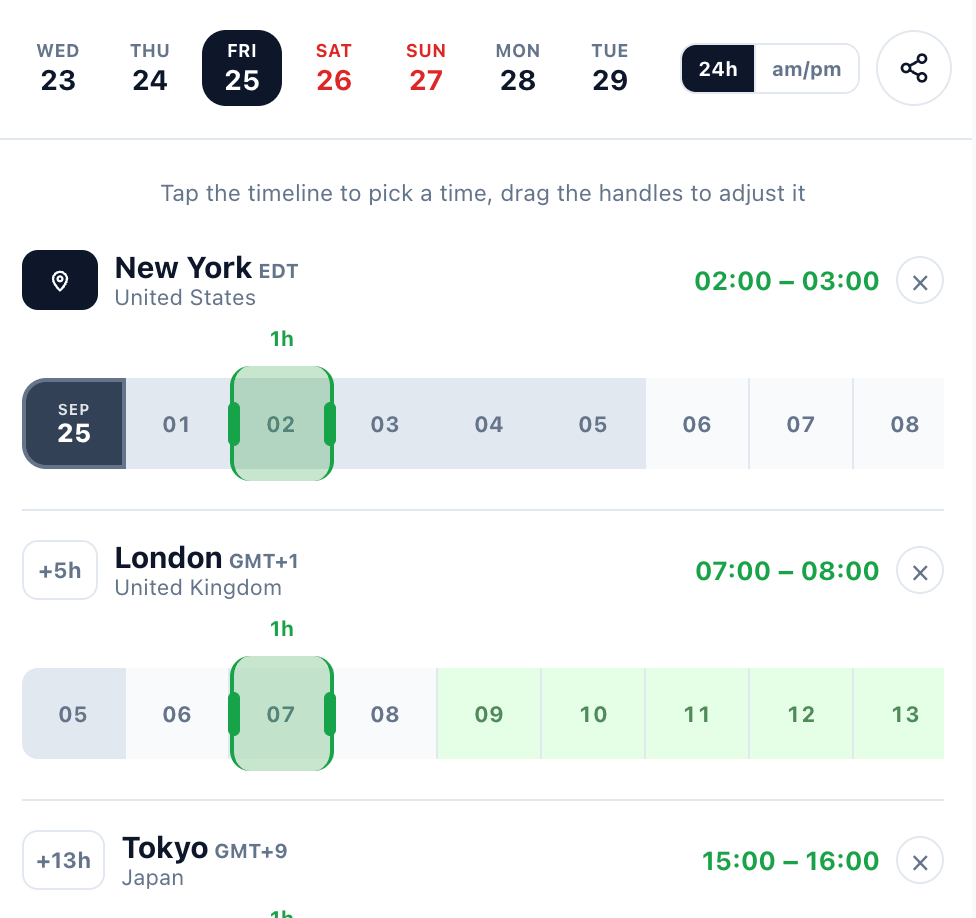
We automatically detect your current location and set it as the reference city to calculate all time differences.
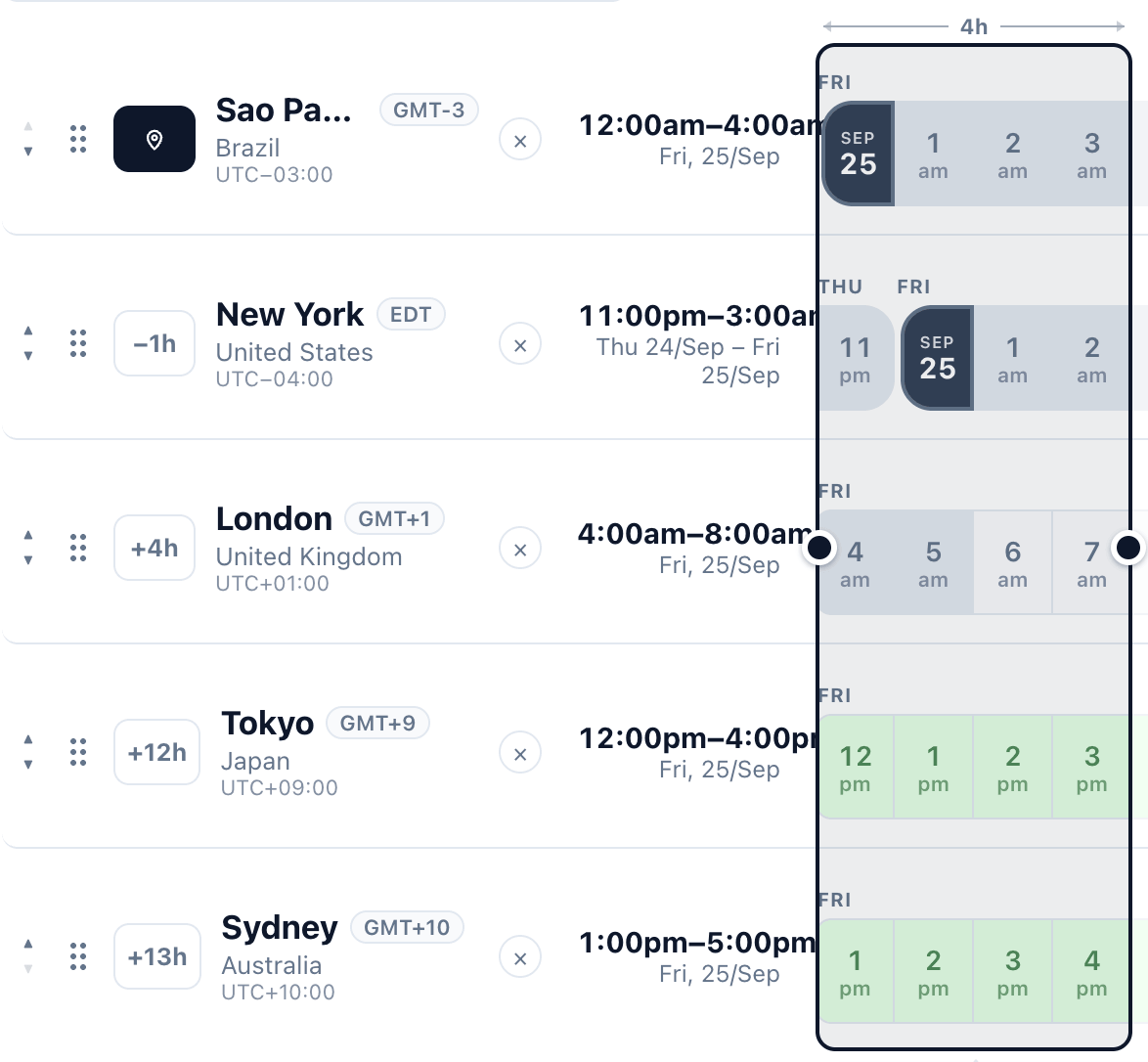
Switch instantly between 12h (AM/PM) and 24h clock formats according to your preference.
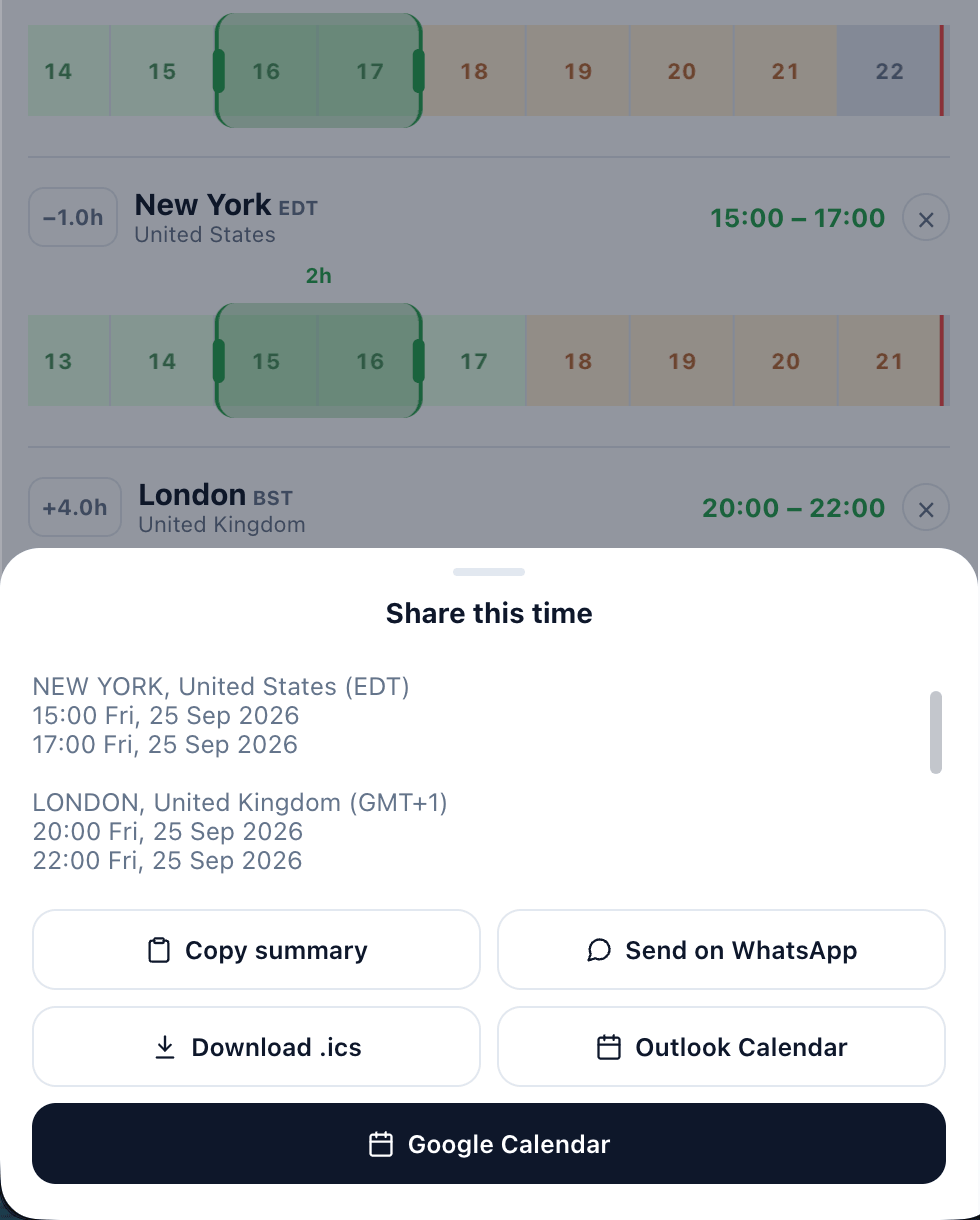
Export the converted time slot directly to WhatsApp, Google Calendar, or Outlook with a single click.
View all cities on a full-width timeline with interactive live hover previews to compare hours instantly.
Swipe, tap, and adjust meeting times seamlessly on the go, directly from your smartphone browser.
For years, World Time Buddy has helped and continues to help people around the world compare time zones and plan across borders. We share that same purpose, and this planner was built with deep respect for their work — we hope it keeps helping people for many more years to come.